Connect TIAGo Pro
Get access to the robot
Start connecting to your TIAGo Pro. Recall that by default TIAGo Pro has a 2.4GHz WiFi interface that serves as access point with
- SSID:
tiago-pro-<SN> - Password:
R0b0t1c@
If you connect your device to this network you will have access to the robot.
Access the WebGUI
Being connected to the robot grants access to the robots WebGUI. Enter this address in your browser: http://tiago-pro-<SN>c
- Username:
pal - Password:
pal
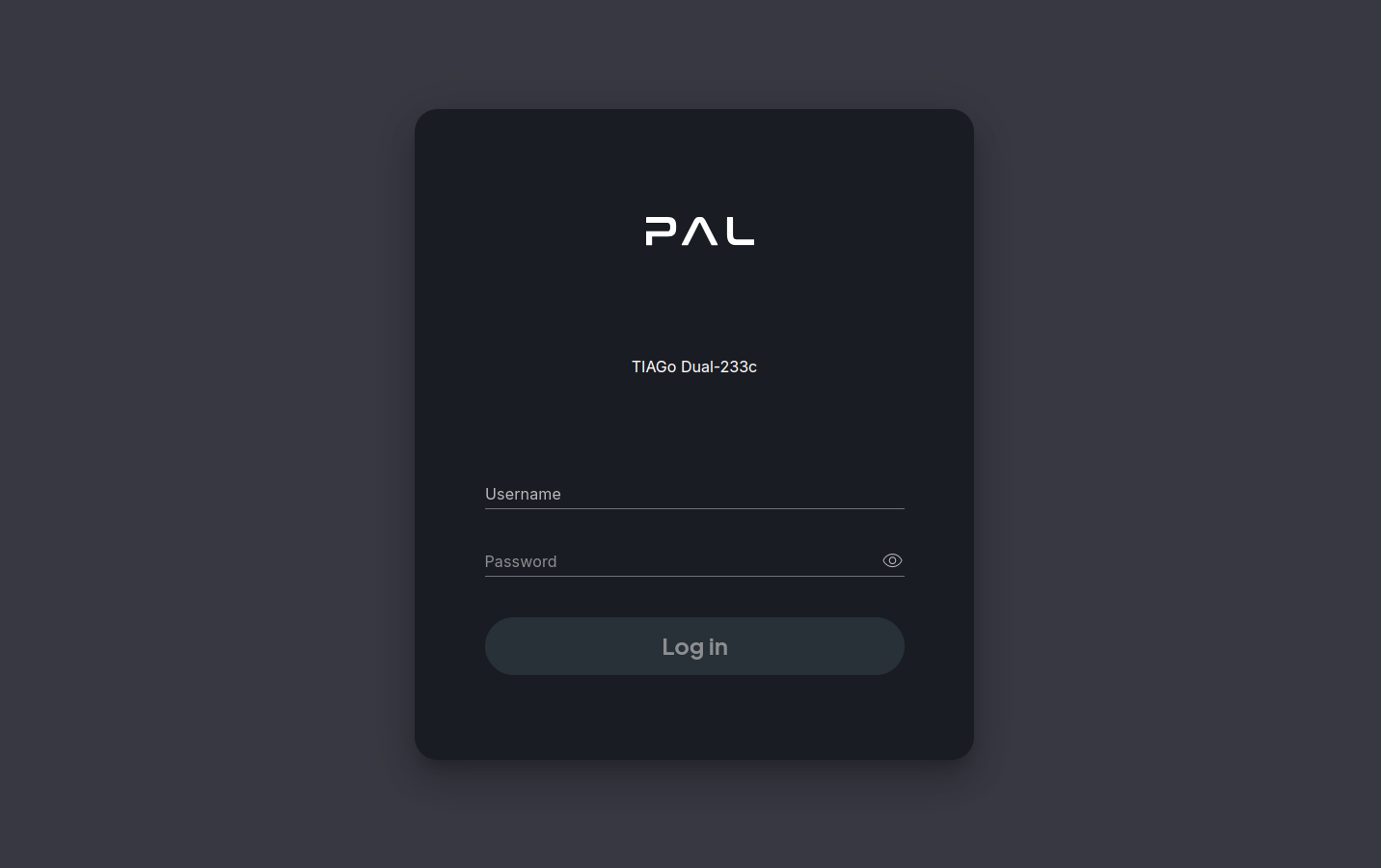
Figure 1: WebGUI main page
Access the Networking settings
Once in the WebGUI, go to the Control Center by clicking on top right of the WebGUI, where the name of the robot is. See Figure 2.
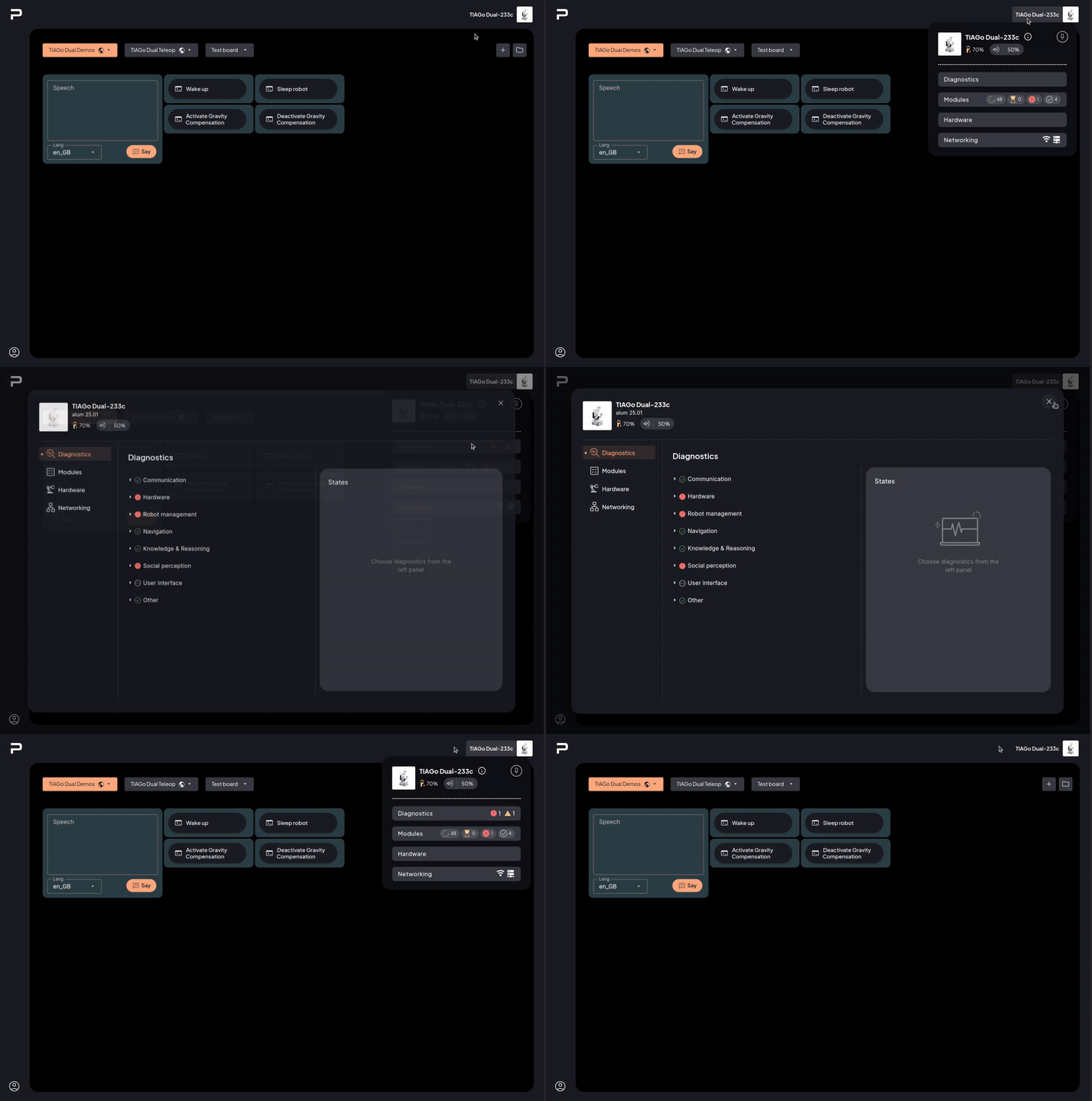
Figure 2: Control Center
Go to the Networking tab.
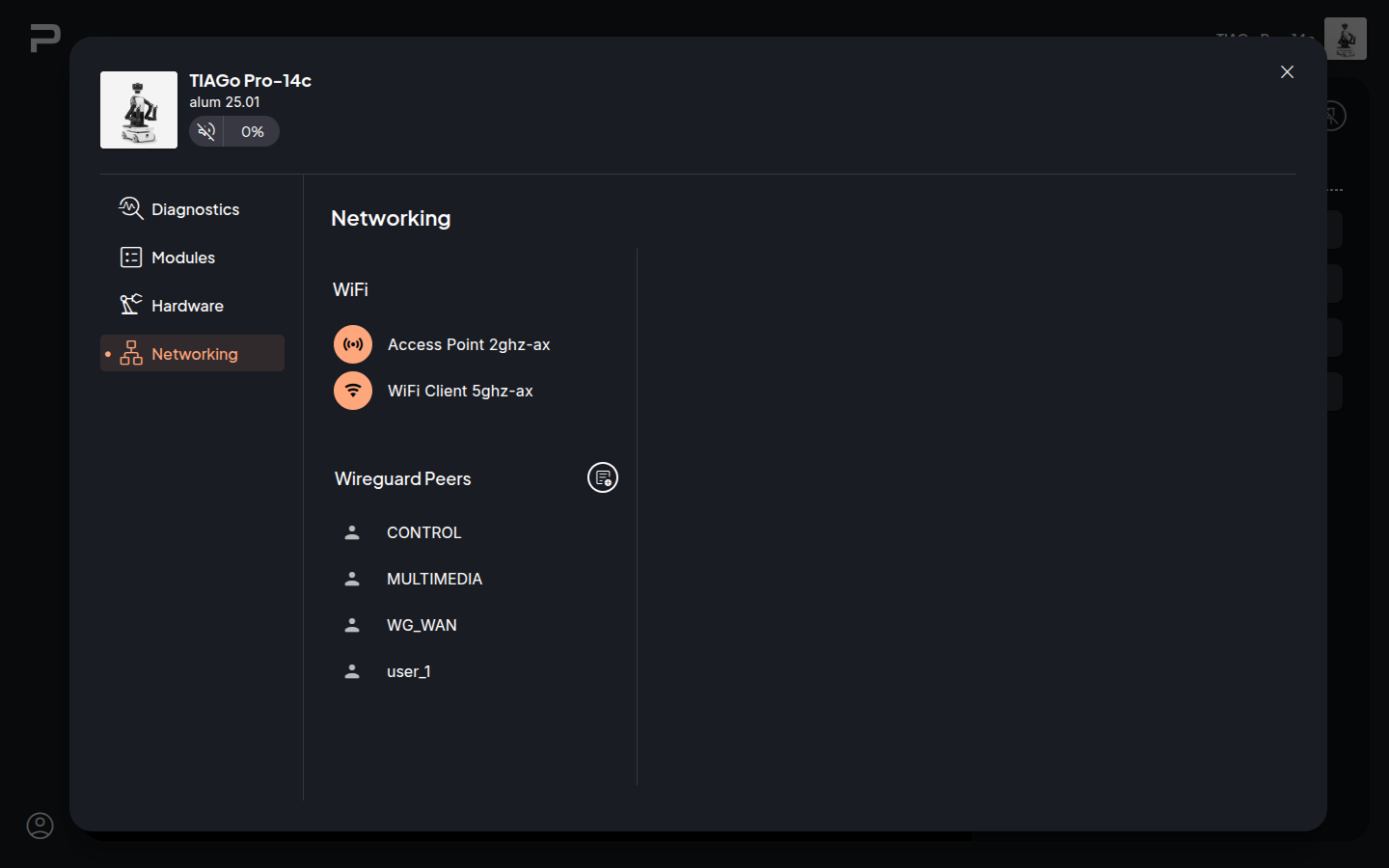
Figure 3: Networking tab
Clicking on the 5ghz interface will allow you to configure it. In
- SSID: add the name of the WiFi network you want the robot to connect to and in
- Password: the password of this network
See Figure 4.
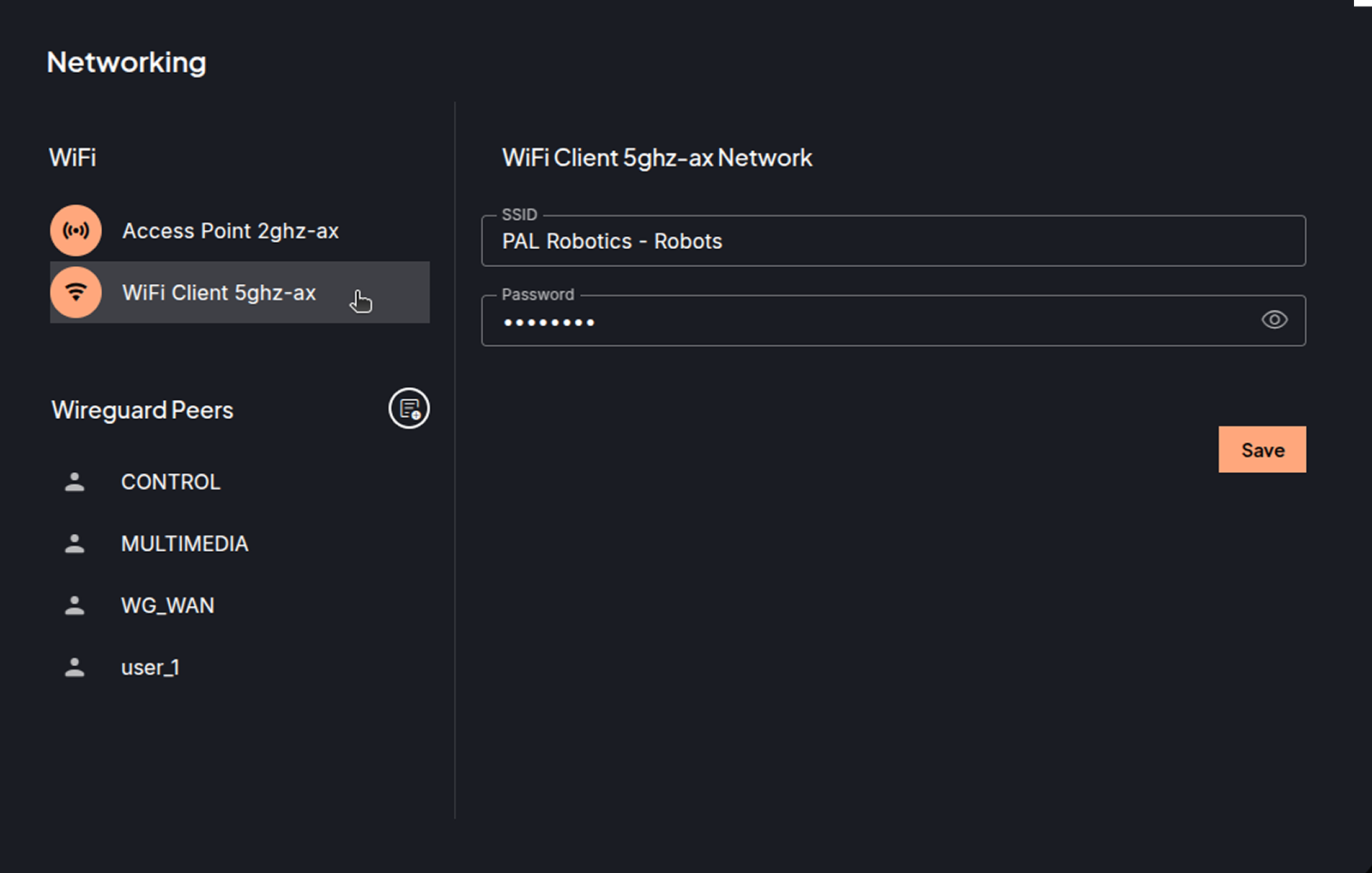
Figure 4: Networking tab - edit
Clicking Save will prompt to confirm the changes. Clicking on the close button in the upper right corner of the editor wlll exit without saving any changes.