Stop TIAGo Pro
The arms of TIAGo Pro have brakes that are engaged once the controller manager is stopped. We suggest to put the robot in a proper arm position before stopping it.
Put the TIAGo Pro in home position
The robot should be seen as shown in Figure 1.
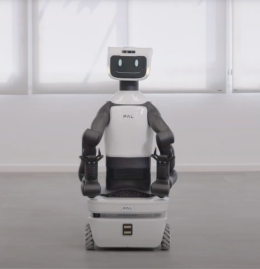
Figure 1: TIAGo Pro in Home Position
This can be done triggering the home motion. Connect to the robot with the PAL Development Docker and do
source /opt/pal/alum/setup.bash
ros2 run play_motion2 run_motion home
Stop the robot PC
Press the on/off button of the TIAGo Pro robot for two seconds until it starts blinking. See Figure 2.
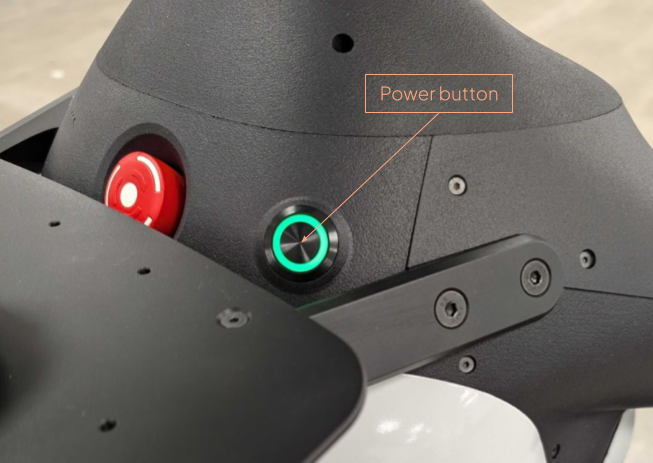
Figure 2: TIAGo Pro Power Button.
Turn the electronics off
Turn the electronics off by turning the key of the robot counterclockwise.
Long term storage
If you are not going to use the TIAGo Pro robot for a long time, it is recommended to charge the battery up to the 50% approximately and stopping it with the electronics turned off with the key under the frontal base cover.