The Allegro Hand Integration
The robot TIAGo Pro can be obtained with the Allegro Hand as add-on. PAL Robotics provides the Allegro Hand with the compatibility with the PAL quick tool changer.
All the software needed to use the Allegro Hand is public in the allegro_hand repo in PAL Robotics' Github. As the software is public, it is also available in the PAL Development Docker and in the PAL Public Docker and hence can be used in simulation regardless of whether the hardware has been obtained or not.
The specifics of the hardware leads to some differences in the way the hand is controlled in simulation and in the real robot. The physical hand only allows to control the joints in effort interface and provides only readings in position interface. As a consequence of this, the controllers that are used in simulation and in the real robot are the following:
For simulation:
- (Default) As joint space controller the Joint Trajectory Controller is used,
- As Cartesian space controller for the tip of each of the fingers, a custom cartesian controller is used.
For the real robot:
- (Default) As joint space controller a controller based on the BHand repo is used. This library is provided by Wonik Robotics themselves, and
- As Cartesian space controller, a custom cartesian controller in the public repo is used.
The following table summarizes the types of controllers used in each case.
| Space | Simulation | Real robot |
|---|---|---|
| Joint | joint_trajectory_controller/JointTrajectoryController |
allegro_hand_controller/AllegroHandController |
| Cartesian | allegro_hand_controller/AllegroHandControllerCartesianSimulation |
allegro_hand_controller/AllegroHandControllerCartesian |
Using the Allegro Hand in simulation
To start TIAGo Pro using the Gazebo simulation with the Allegro Hand, start your PAL developer Docker image and run the following command
source /opt/pal/alum/setup.bash
ros2 launch tiago_pro_gazebo tiago_pro_gazebo.launch.py end_effector_left:=allegro-hand end_effector_right:=allegro-hand world_name:=empty
This would spawn the TIAGo Pro robot with both end-effectors being the Allegro Hand, see Figure 1.
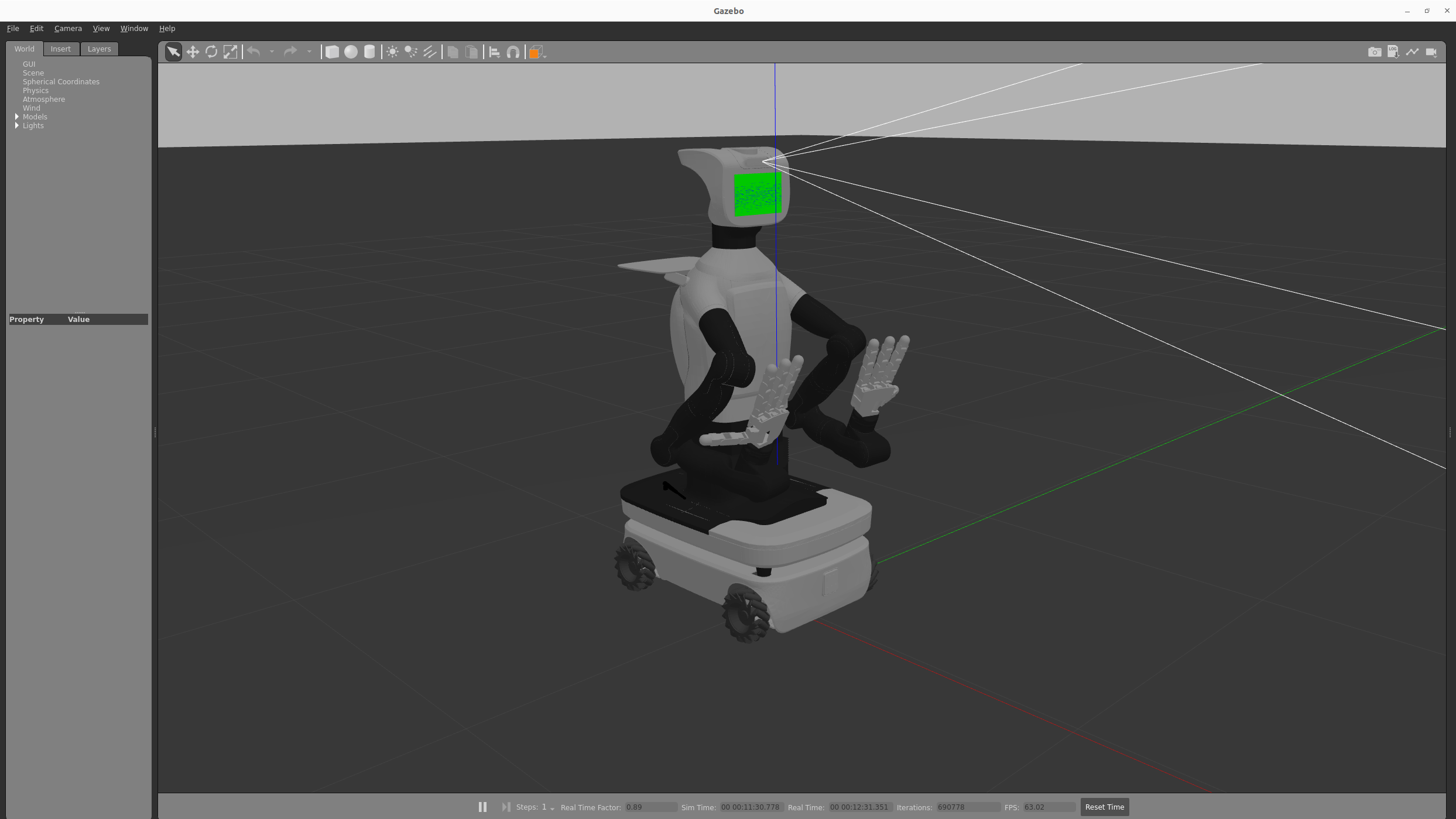
Figure 1: TIAGo Pro in simulation with Allegro hands in both arms.
Using the Allegro Hand in the real robot
Follow the Allegro Hand tutorial.