Restarting after an Emergency Stop
Activate the emergency stop
To trigger an emergency stop, press any of the 3 emergency buttons, see Figure 1.
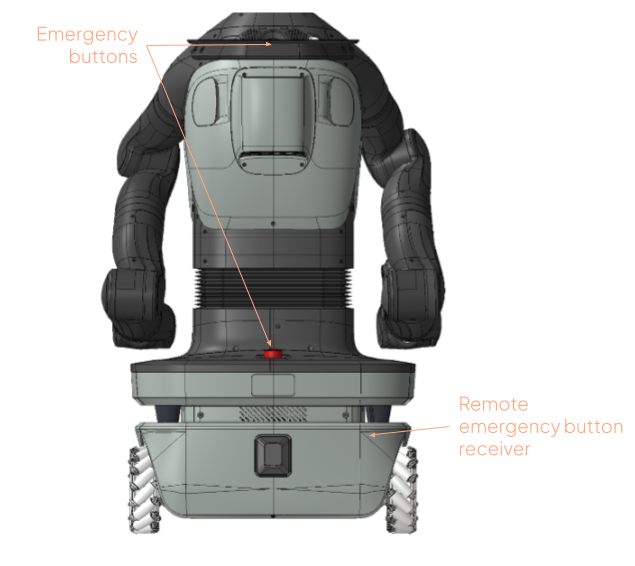
Figure 1: Location of the emergency buttons of TIAGo Pro.
An emergency stop trigger switches motors off (by stopping the power supply) and engages the motor brakes, ensuring the robot halts immediately.
Restart after an emergency stop
To resume operations after pressing an emergency button, follow these steps:
- Release the emergency button,
- Wait for the computer button to change from red to blinking yellow.
- Press the computer button, and wait until the button turns green and stops blinking.
- Run the following command in the robot to restart the robot services:
sudo systemctl restart pal_startup.service