Cyclone Interfaces
The Cyclone Interfaces section is available from the Networking Control Center (regardless of whether the robot uses Mikrotik or Netplan), and the behavior is the same in both cases: It allows configuring which network interfaces Cyclone DDS should use for communication, and in which priority order. In view mode the table shows the interfaces ordered by priority (top = highest priority).
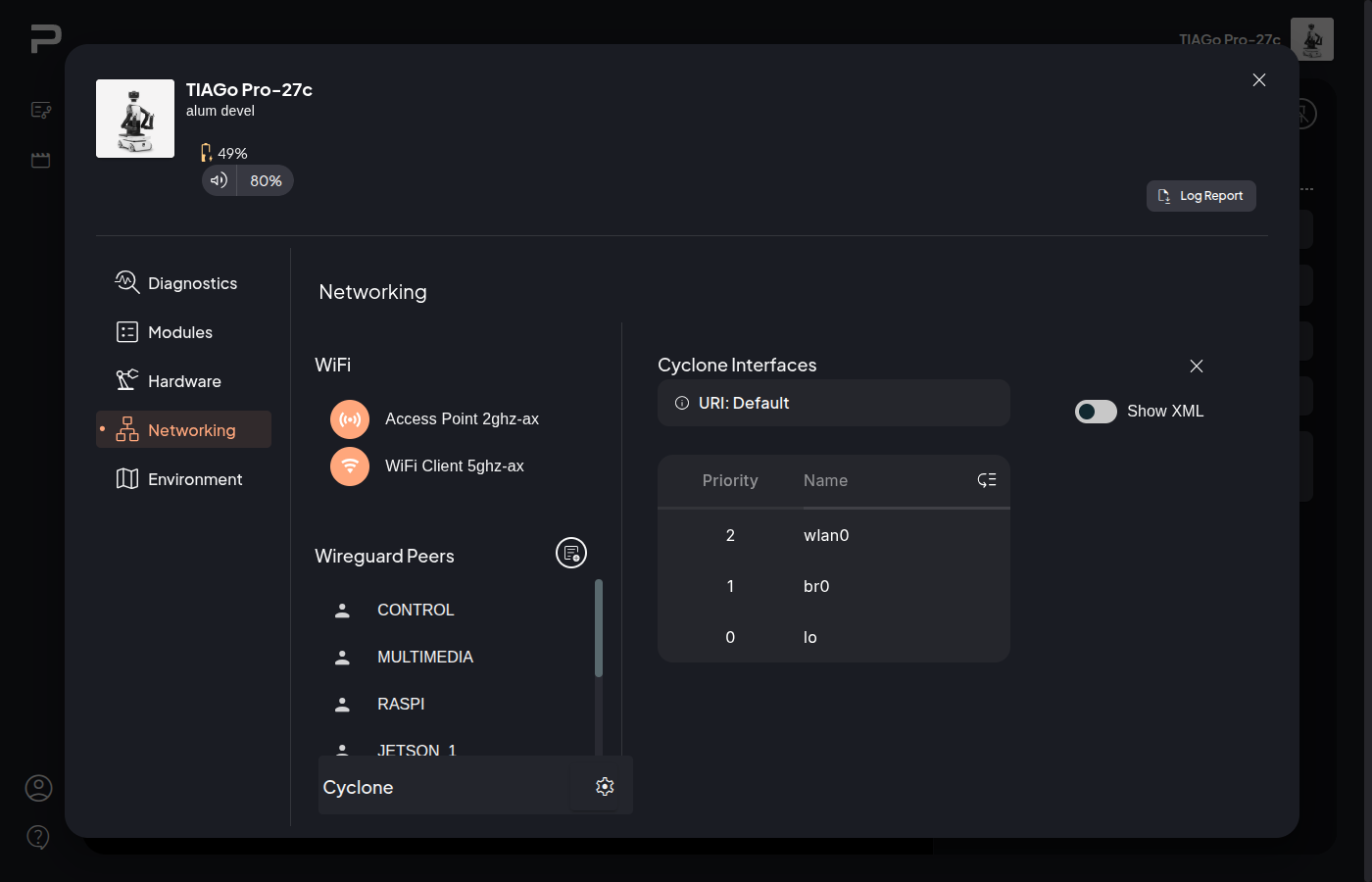
Figure 1: Cyclone Interfaces (view mode)
Enabling the Show XML toggle displays the current Cyclone DDS XML configuration.
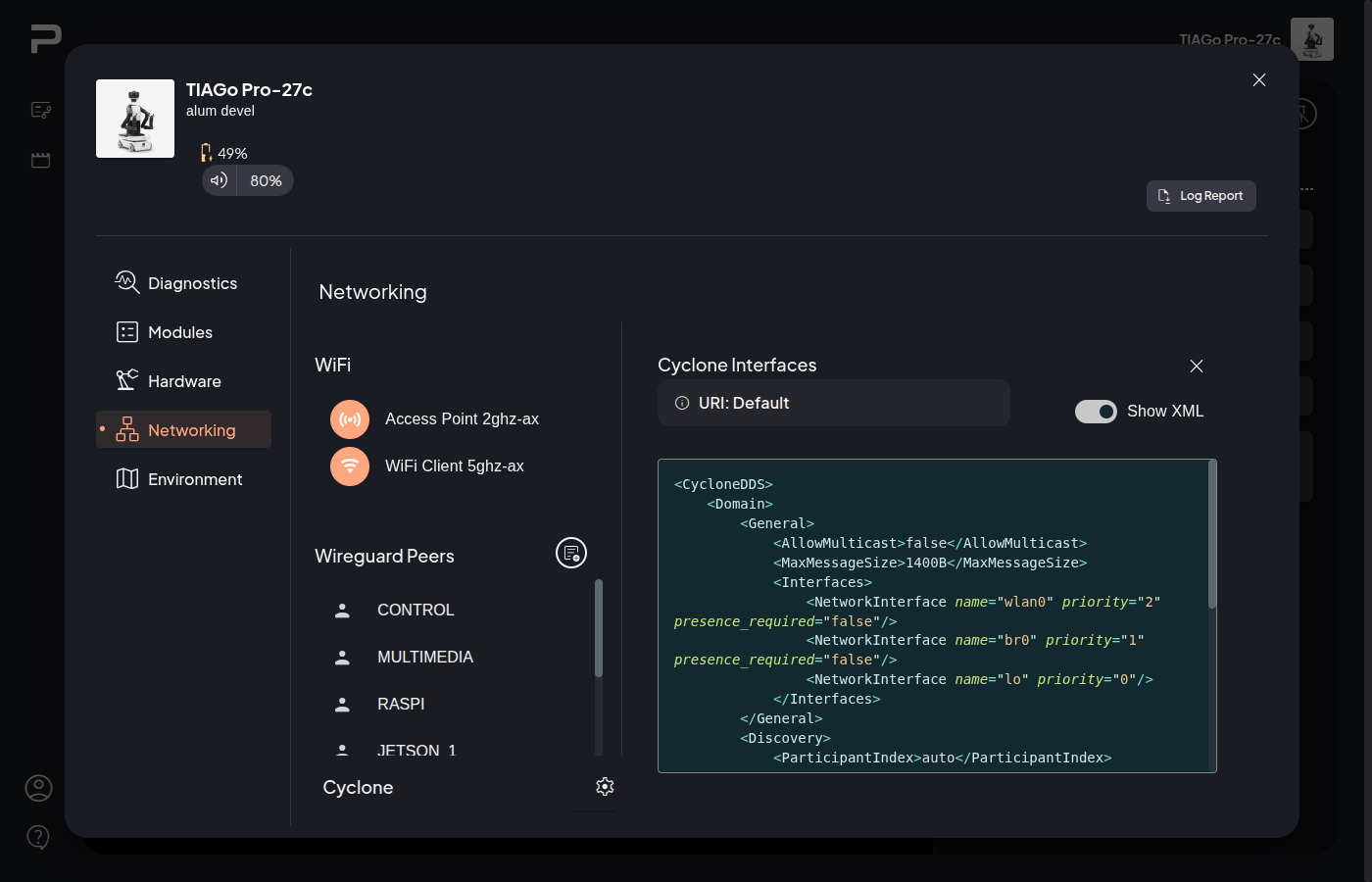
Figure 2: Cyclone Interfaces (Show XML)
Clicking on the Reorder Priority icon button opens edit mode, where interfaces can be reordered using drag and drop.
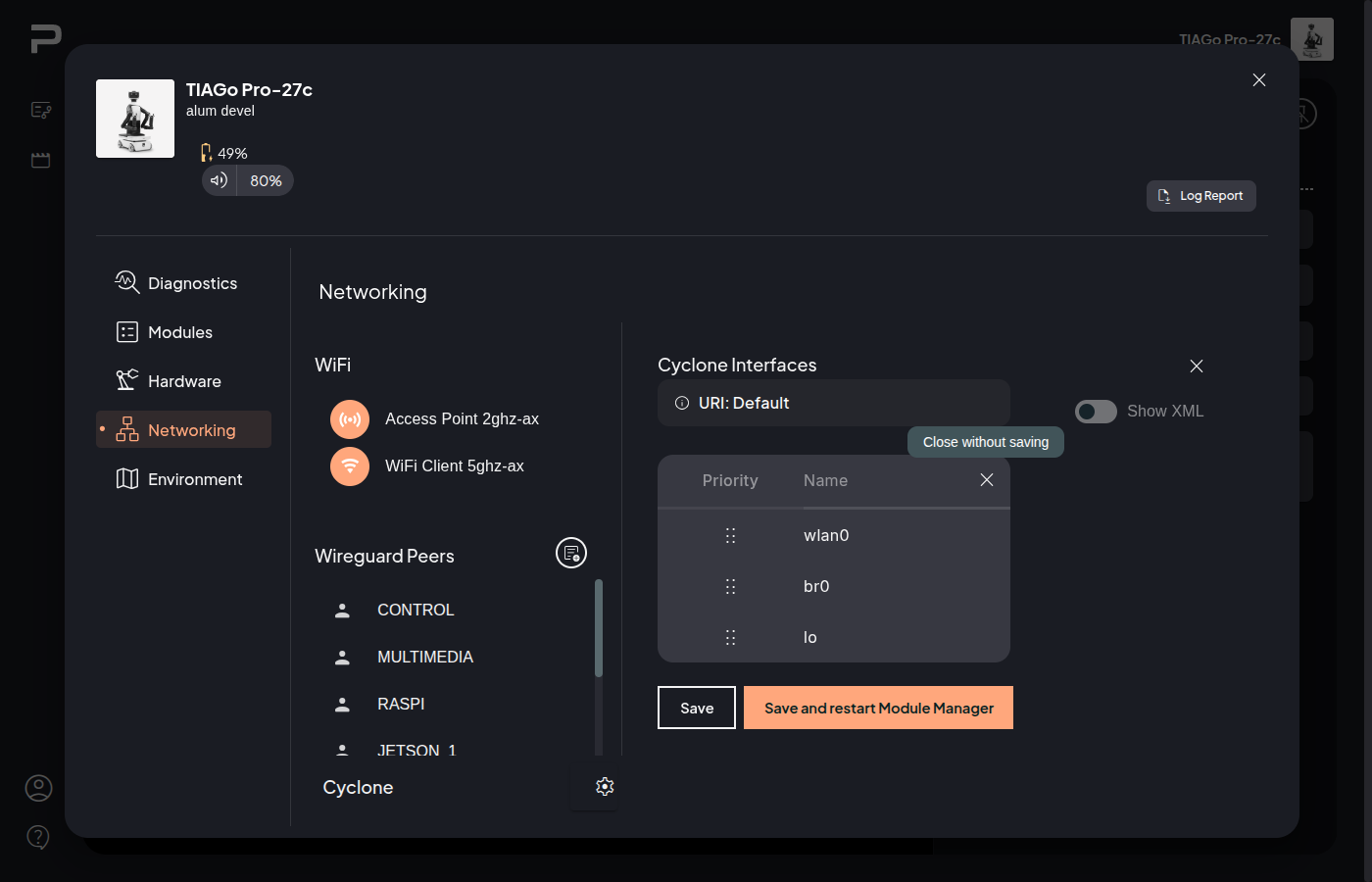
Figure 3: Cyclone Interfaces (edit mode)
After reordering, click Save (stores the change) or Save and restart Module Manager to apply the changes.
Note
A software restart is required for changes to take effect.
If a custom configuration is being used, it can be removed to return to the default configuration.