Teleoperate your robot
By the end of this tutorial, you will know how to teleoperate your robot (or its simulation) using different either the joystick, the keyboard, or RViZ.
Teleoperate the robot using the Keyboard
Key-based teleoperation can be performed using the key_teleop node. This allows the user to control the robot's movement through keyboard inputs. This offers an intuitive way to drive the robot without requiring a physical joystick. It is ideal for quick testing or remote operation in various environments.
This teleoperation method can be used both in simulation and in the real robot. To start the key_teleop node, first install it by doing:
sudo apt-get install ros-$ROS_DISTRO-key-teleop
Then you can run the key_teleop node doing:
ros2 run key_teleop key_teleop
Use the following keys to control the robot:
| Instruction | Keyboard key |
|---|---|
| Move Forward | ↑ |
| Move Backward | ↓ |
| Move Left | ← |
| Move Right | → |
Note
The key_teleop node is included in the teleop_tools. This teleop method does not support holonomic movement, meaning it only allows for non-holonomic control: forward, backward, and rotational movement.
Teleoperate the robot using the Joystick
Joystick-based teleoperation is performed using the joy_teleop node. It publishes velocity commands to the /joy_vel topic. This allows the user to control the robot's movement through a physical gamepad, offering an intuitive way to drive the robot with real-time feedback. It is ideal for precise control in dynamic environments and provides a reliable interface for remote operation.
This teleoperation method can be used in the real robot. The joy_teleop node is automatically started at the startup of the robot.
To confirm that this node is running and that you can teleoperate the robot using the joystick, you can do:
pal module info joystick
Which should return:
Status: RUNNING
Check the Mobile Base Teleoperation Mode in Joystick for more information on how to use the joystick to teleoperate the robot.
It is possible to enable and disable Joystick using the following ROS 2 action:
ros2 action send_goal /joy_teleop_priority_action twist_mux_msgs/action/JoyPriority {}
Note
This action is equivalent to pressing the START button on the gamepad.
Teleoperate the robot using RViz
In addition to the physical joystick, a virtual joystick can be used to teleoperate the robot. The virtual joystick is part of PAL Navigation 2 RViZ plugins. You can load it by clicking on Add New Panel on the Panels tab in RViz2 and selecting the PAL Navigation 2 plugins.
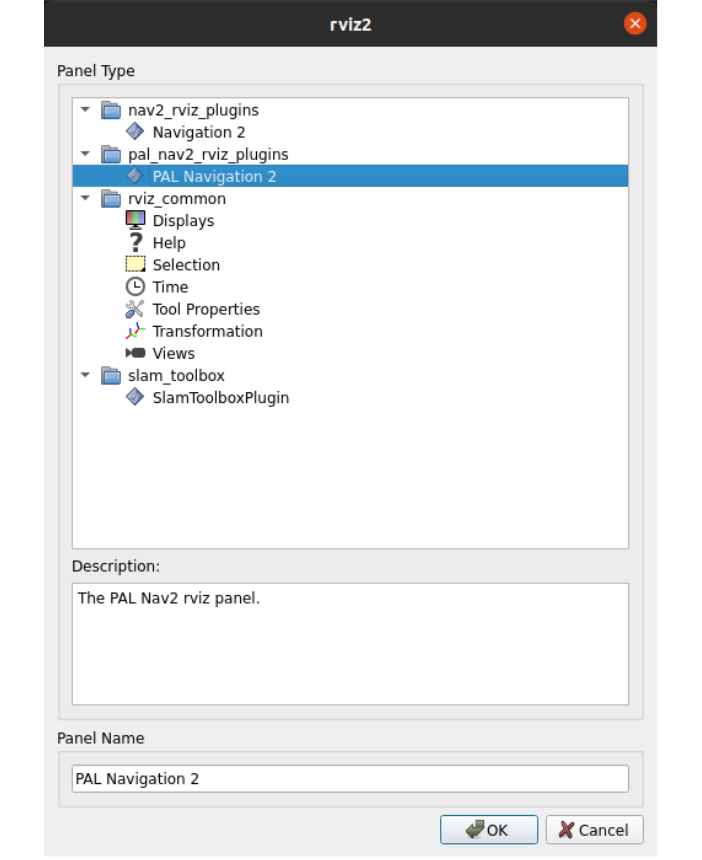
It virtualizes the joystick pads and allows the user to control the robot's movement with the mouse. This teleoperation method can be used both in simulation and in the real robot.
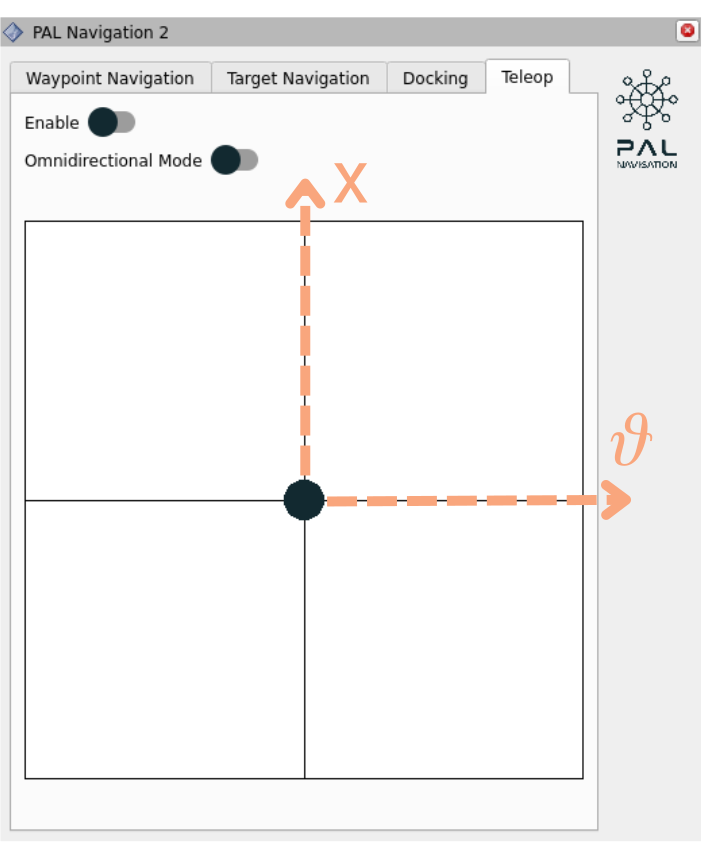
It supports both holonomic and non-holonomic control, the user can switch to Omnidirectional Mode using a dedicated toggle switch.
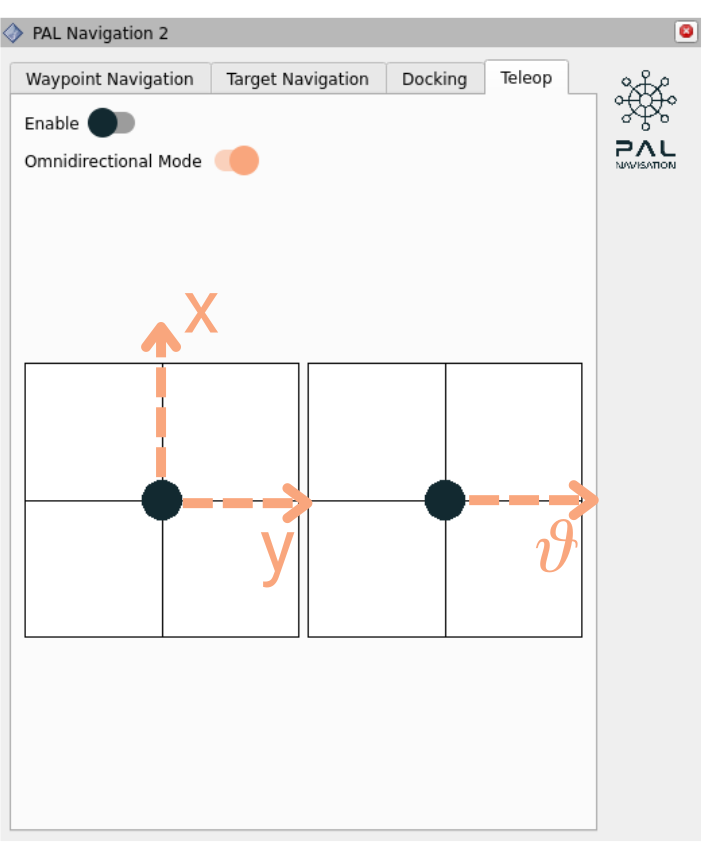
To start using the Virtual Joystick to send velocity commands to the robot, first use the Enable Switch to enable the publisher, then use the joystick pads to control the robot's movement.
Attention
While the Virtual Joystick is enabled, it takes priority over the Autonomous Navigation system. To allow the robot to navigate autonomously, make sure to Disable the Virtual Joystick by using the appropriate switch.